








Levy Scooter Operating Guide
This guide is for riders who already have a Levy scooter and want the basic operating instructions in one place: tire pressure, charging, power, lights, throttle, speed modes, and LCD settings. It is especially useful for subscription riders who are picking up a scooter that is already assembled.
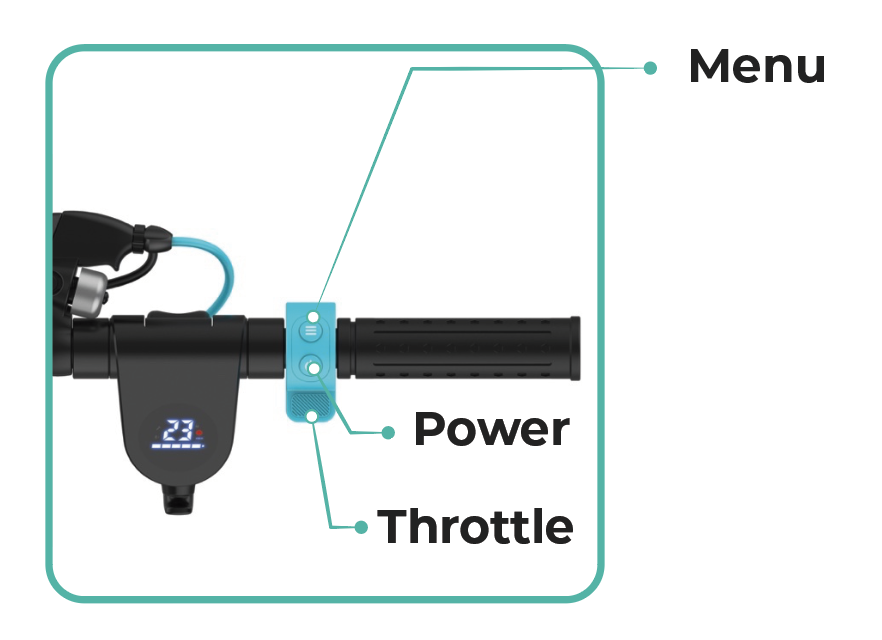 The Levy LCD display and buttons are used for power, lights, speed modes, and settings.
Before your first ride
- Check the tires. If your scooter has pneumatic tires, inflate them before your first ride and check pressure regularly.
- Check the brake. The brake lever should feel firm, and the scooter should slow down smoothly when you test it at low speed.
- Start slow. Use the lowest speed mode until you are comfortable with the throttle and braking.
- Ride safely. Wear a helmet, follow local riding rules, and avoid wet or slippery surfaces when possible.
Inflate the tires
Brand-new Levy Light and Plus scooters ship with air-filled tires and extra-thick inner tubes. Check both tires with a gauge and inflate to 50–60 PSI before riding. If you have a demo or refurbished scooter, or changed its tire or tube setup, ask Levy Support for the right target.
- Use a standard bike pump. If the pump head does not fit easily, use the valve extender.
- Check pressure at least every other week when riding frequently.
- Do not ride on a visibly low or flat tire. Low tire pressure can cause flats, sidewall leaks, rim damage, and poor range.
Read the full tire PSI guide or watch the valve-extender video below if your pump cannot easily reach the valve.
Charge the scooter
Use the Levy charger provided with the scooter. Levy batteries can be charged while installed in the scooter, or removed and charged separately if your model has a removable battery. The charging port on the scooter and the charging port on the battery use the same charger.
- Charge in a dry indoor area.
- Do not ride while the scooter is plugged in.
- If you will not ride for a few weeks, charge the battery periodically so it does not sit fully drained.
For more detail, see How do you charge your electric scooter batteries?
Power, throttle, brakes, and lights
- Turn on/off: Hold the Power button for about 2 seconds.
- Start riding: Levy scooters are kick-to-start by default. Push off first and get moving above about 2 mph, then press the thumb throttle.
- Brake: Use the brake lever. The throttle will not engage while the brake lever is pulled.
- Headlight and taillight: Double-press the Menu button to turn the lights on or off. The rear brake light will still blink when braking.
- Rear fender: Do not use the rear fender as your normal brake. Use the brake lever.
More visual references: turning the scooter/lights on and activating the throttle, headlight and taillight controls, and kick-push start settings.
Speed modes
Press the Menu button once to change speed modes. Start in the lowest mode until you are comfortable.
- No D icon: lowest speed mode
- White D icon: medium speed mode
- Red D icon: highest speed mode
Speed mode is separate from the advanced P4 maximum-speed setting. If the scooter feels slower than expected, check the speed mode, battery charge, tire pressure, and P4 setting. For more detail, see Changing the speed mode.
LCD settings
Only change LCD settings while the scooter is stopped and powered on. The diagram below is from the full LCD settings guide.
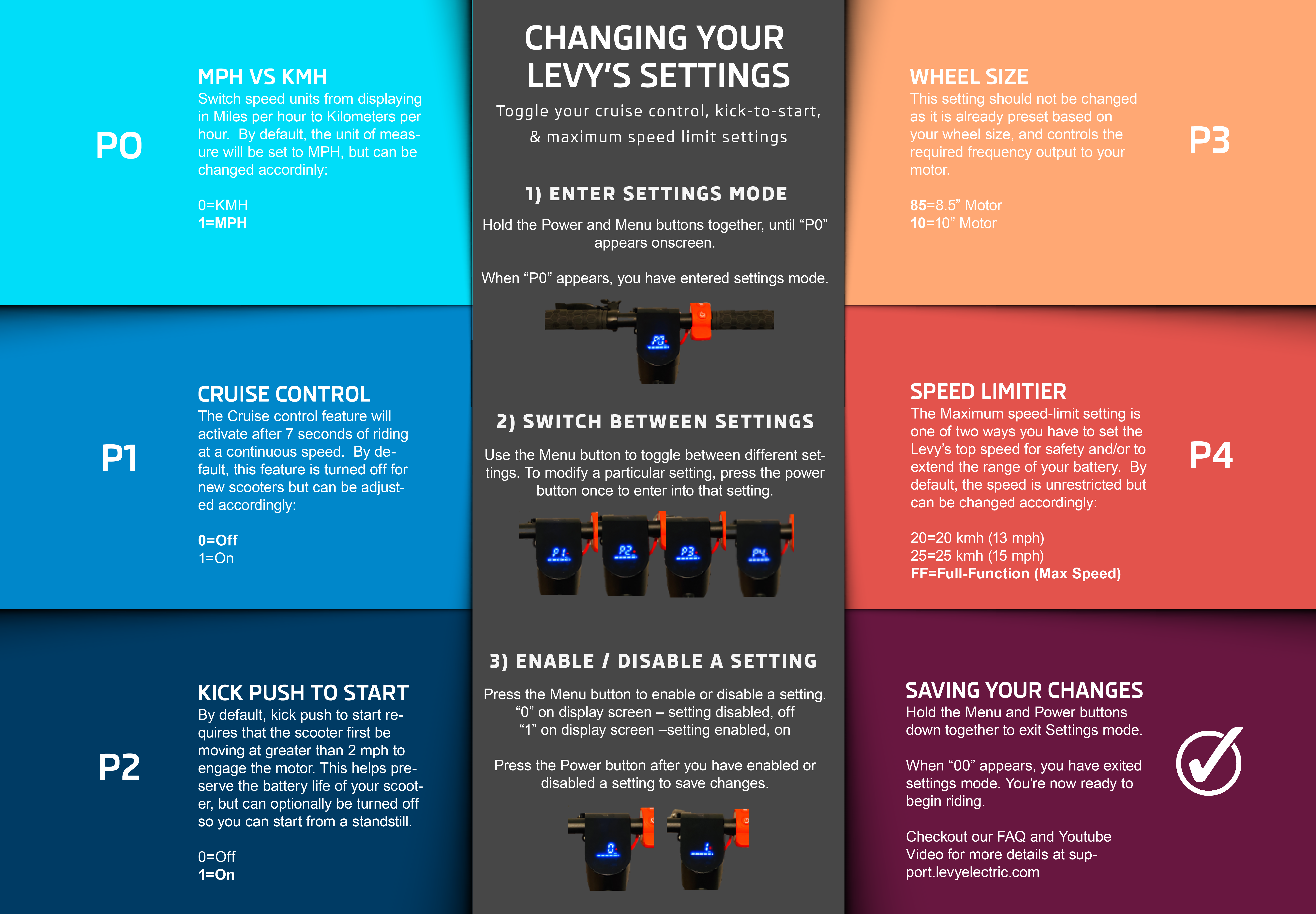 P0-P4 settings control speed units, cruise control, kick-push start, controller preset, and maximum speed limit.
- Hold Power and Menu at the same time until
P0appears. - Press Menu to move through
P0,P1,P2,P3, andP4. - Press Power to edit the setting shown on the display.
- Press Menu to change the value.
- Press Power to save.
- Hold Power and Menu again to exit settings mode.
| Setting | Controls | Options |
|---|---|---|
P0 |
Speed units | 0 = km/h, 1 = mph |
P1 |
Cruise control | 0 = off, 1 = on |
P2 |
Kick-push start | 0 = off, 1 = on |
P3 |
Controller output | Preset for wheel size. Do not change this setting. |
P4 |
Maximum speed limit | FF = full speed, about 18 mph; 25 = about 15 mph; 20 = about 13 mph |
Recommended settings for most riders
P0:1for mph in the United States.P1:0if you do not want cruise control.P2:1to keep kick-to-start enabled. This is the default and helps preserve range.P3: do not change.P4: use20or25if you want a lower maximum speed, orFFfor the normal top-speed setting.
For the complete walkthrough, see How to Use the Levy's LCD Display Console & Change Menu Settings.
Brake check and adjustment visuals
If the brake lever feels loose or the scooter does not slow down smoothly, review the brake adjustment guide. The images below show the rear brake adjustment points.
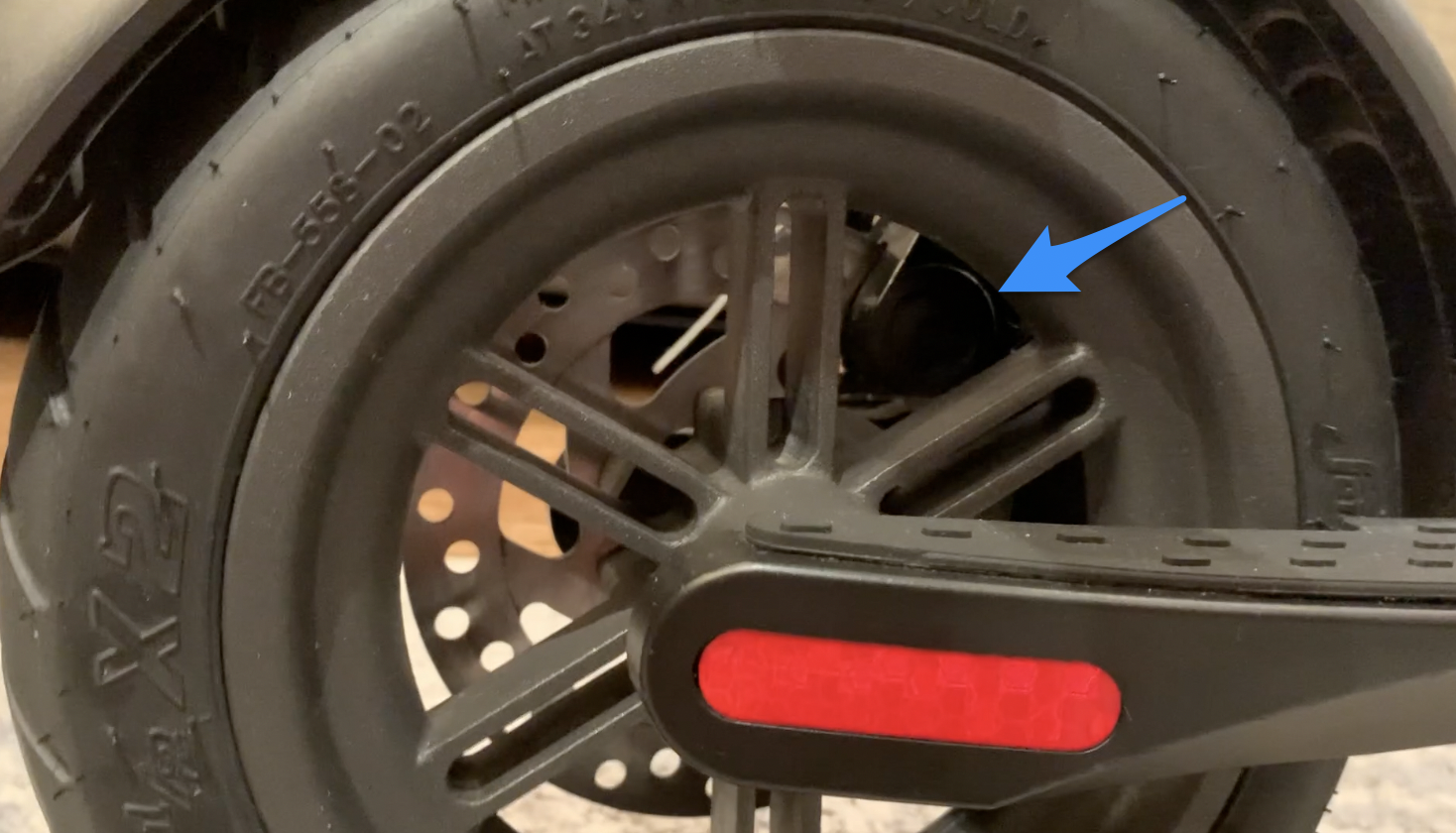 Rear brake pad adjustment point.
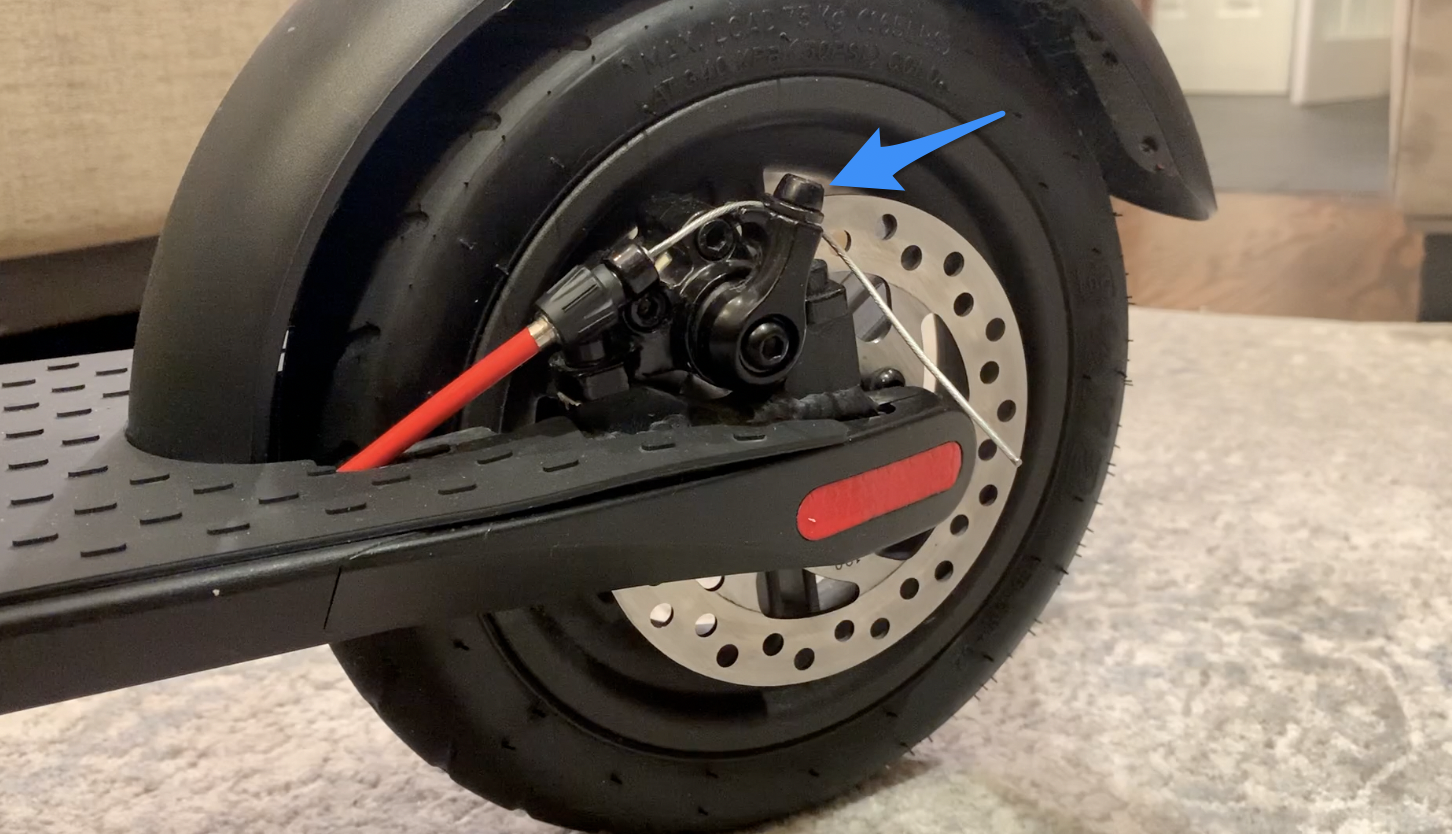 Rear brake cable adjustment point.
Full visual guide: Adjusting the rear brake.
If something feels wrong
- Scooter will not move: make sure it is powered on, the brake lever is not pulled, and you have kick-pushed above about 2 mph before pressing the throttle.
- Scooter feels slow: check speed mode, tire pressure, battery charge, and whether
P4is set belowFF. - Throttle cuts out: check that you are not lightly holding the brake lever while pressing the throttle.
- Tire looks low: stop riding and inflate it before continuing.
Visual guides and videos
- Using the valve extender - video walkthrough for inflating hard-to-reach valves.
- Full LCD display and menu settings guide - includes the P0-P4 settings diagram.
- Power, lights, and throttle guide - quick reference for turning on lights and engaging the motor.
- Changing the speed mode - explains the display speed-mode indicators.
- Adjusting the rear brake - visual brake-caliper adjustment guide.
- Folding hinge guide - useful if you need to fold, store, or transport the scooter.
Was this article helpful?
Related Articles
Product Certs
What are the different classes of e-bikes?
E-bikes / electric bicycles are categorized into different classes based on their levels of motor assistance and speed capabilities.
How Do I Store My Electric Scooter?
Don't plan on using your scooter for awhile? Need to store it? There are a couple simple guidelines to follow to ensure your scooter's longevity....