








How to set up Auto Top Up
In the Levy App there is an Auto Top Up feature that can be selected. Anytime that you wallet balance goes negative in the app, the scooter trip will be paused until more funds are added. The Auto Top Up feature will automatically pull $15 (plus tax) from the card on file add it to you virtual wallet. This allows the trip to run smoothly during the rental and help prevent issues with the scooter while riding.
Auto Top Up default setting is to off and must be turned on in the app. Turning on Auto Top Up means that you agree to the terms of funds automatically being added in $15 increments while renting the scooter. This means that your statement will have reassuring charges of $15 to pay for the ride until it is complete.
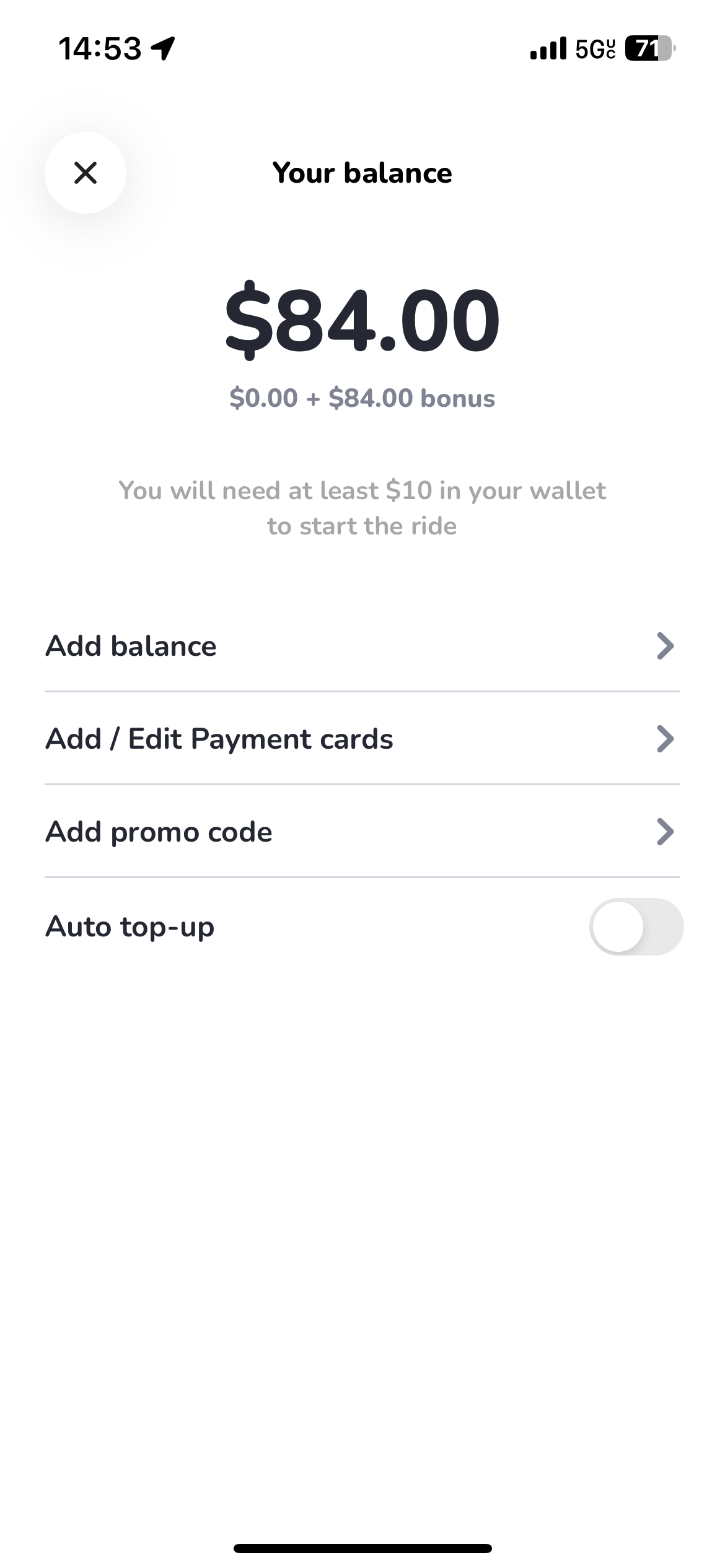
Here is a video showing you the sign up process in the Levy app as well as turning on The Auto Top Up feature.
Was this article helpful?
Related Articles
Adjusting the rear brake
Occasionally the rear brake will need to be adjusted, either when your scooter first arrives or over time as the brake pads start to wear.
Levy Max Wiring Diagram
OLD J41 J16 J15 J14 HIGO CONN J13 OMNI CONN J12 OMNI IOT ASI CONTROLLER Pin Color Signal Pin Color Signal Pin Color Signal Pin Color Signal...
Brake Pad and Caliper Replacement
Estimated Time to Complete: 15 minutes Tools Required: 5mm wrench Parts Required: New brake pads: Purchase here Caliper: Purchase here (Optional if...