





Do I need the app for a Levy scooter I bought? (and why it says “Registration Failed”)
Short answer
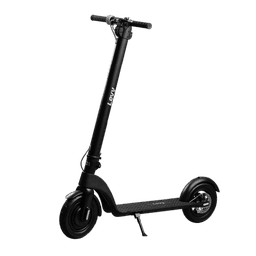
If you purchased a Levy Light or Levy Plus, you do not need any app to ride it, and the scooter does not connect to a phone over Bluetooth. Levy scooters you own have no Bluetooth pairing, no app connection, and no GPS tracking — you just power it on and ride.
Why the app shows “Registration Failed”
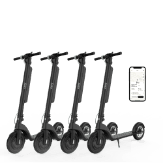
The “Levy Electric Scooters” mobile app is for our rental service — it lets people sign up to rent scooters by the minute. A scooter you bought is not a rental unit, so it cannot be added or “registered” in that app. Trying to register or Bluetooth-connect an owned scooter in the rental app is exactly what produces the “Registration Failed” message. Nothing is wrong with your scooter.
What “registration” actually means for a scooter you own
For a purchased scooter, registration simply means recording your serial numbers with us for warranty and ownership records. It is a quick web form — not an app step and not a Bluetooth step.
Register your serial numbers using the “Registering your scooter” form in our help center.
The scooter serial number is on a sticker on the bottom of the baseboard, or on the right side of the front-wheel motor.
The battery serial number is just below the bar code on the battery.
So what should I do?
To ride: just power the scooter on and go — there is no app to set up and nothing to connect.
For warranty: fill out the serial-number registration form above.
If you were actually trying to rent a scooter (not ride one you bought), the app sign-up is a separate rental flow — reach out to support and we will point you the right way.
Still stuck? Reply to your support email or contact Levy support with your order number and we will help.
Was this article helpful?
Related Articles
Product Certs
What are the different classes of e-bikes?
E-bikes / electric bicycles are categorized into different classes based on their levels of motor assistance and speed capabilities.
How Do I Store My Electric Scooter?
Don't plan on using your scooter for awhile? Need to store it? There are a couple simple guidelines to follow to ensure your scooter's longevity....