








Connecting with Offline Segway Scooters Through Their Launcher App
The launcher app will ONLY work with scooters that have been purchased with Levy Fleets.
If Segway Max scooters are offline then the best way to connect with them is through the bluetooth access on Segways Launcher app.
Segway's Launcher app is available through the app store here.
Login for the app is with Levy's Platform Code (U20010) and a Username and password that is provided when you receive your Levy Fleet.
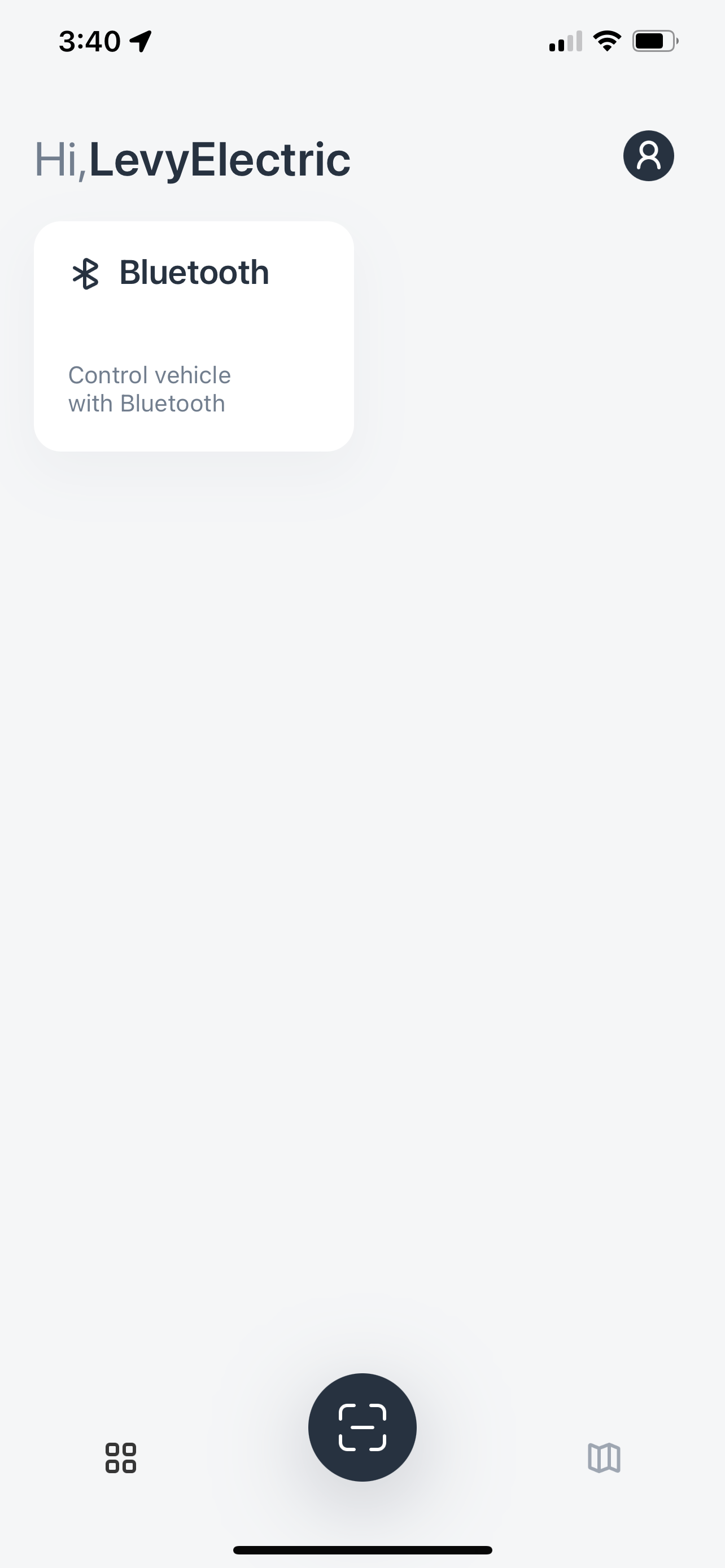
Once you are logged in to the app, the opening screen should show a 'Bluetooth' tile on the upper left hand part fo the screen. Selecting that tile will allow you to scan the QR code for a scooter to connect with. This will be the Segway QR code - not the one provided for Levy's rental app.
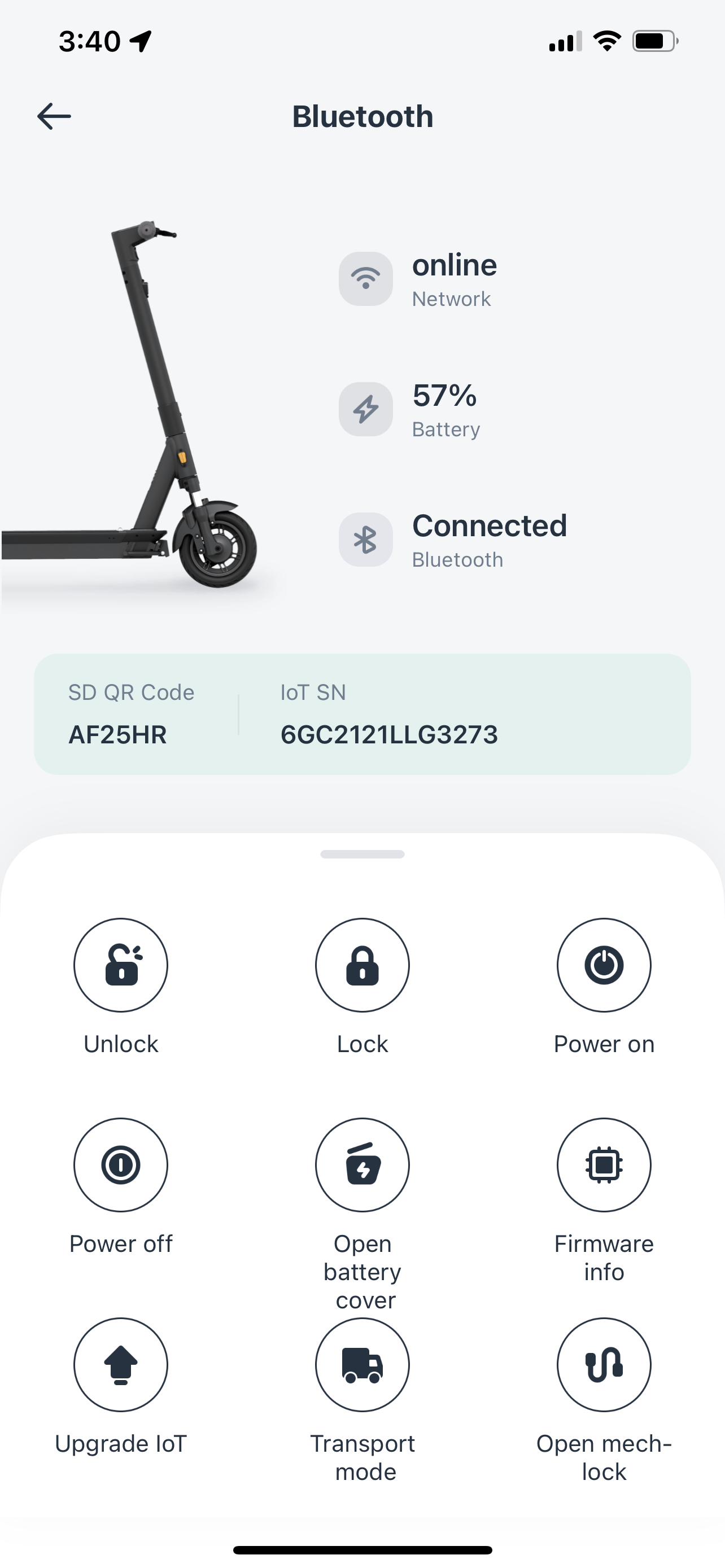
Once scanned, the app should take you to this scooter's menu with several options to control the selected scooter. From here, selecting any of the icons will allow you to do as titled - lock, unlock, power off, etc.
Was this article helpful?
Related Articles
Unlocking the battery compartment lock of the vehicle (Okai / Segway)
If the battery needs to be swapped, what you're going to do is change its status to "charging." This will electronically unlock the battery compartment,...
Replacing the IoT on the Okai ES400 Scooter / Bike
Repair part: IOT Tools list: T20 bit (T20*75mm) Hollow plum blossom bit Electric screwdriver Disassembly steps (Working Hours: 1...
How does your rental fleet program work?
Levy Fleets is primarily a software and services package that we offer to 3rd party operators looking to launch their own scooter or bike rental fleet.