








Changing Payment Info In App
June 3, 2021
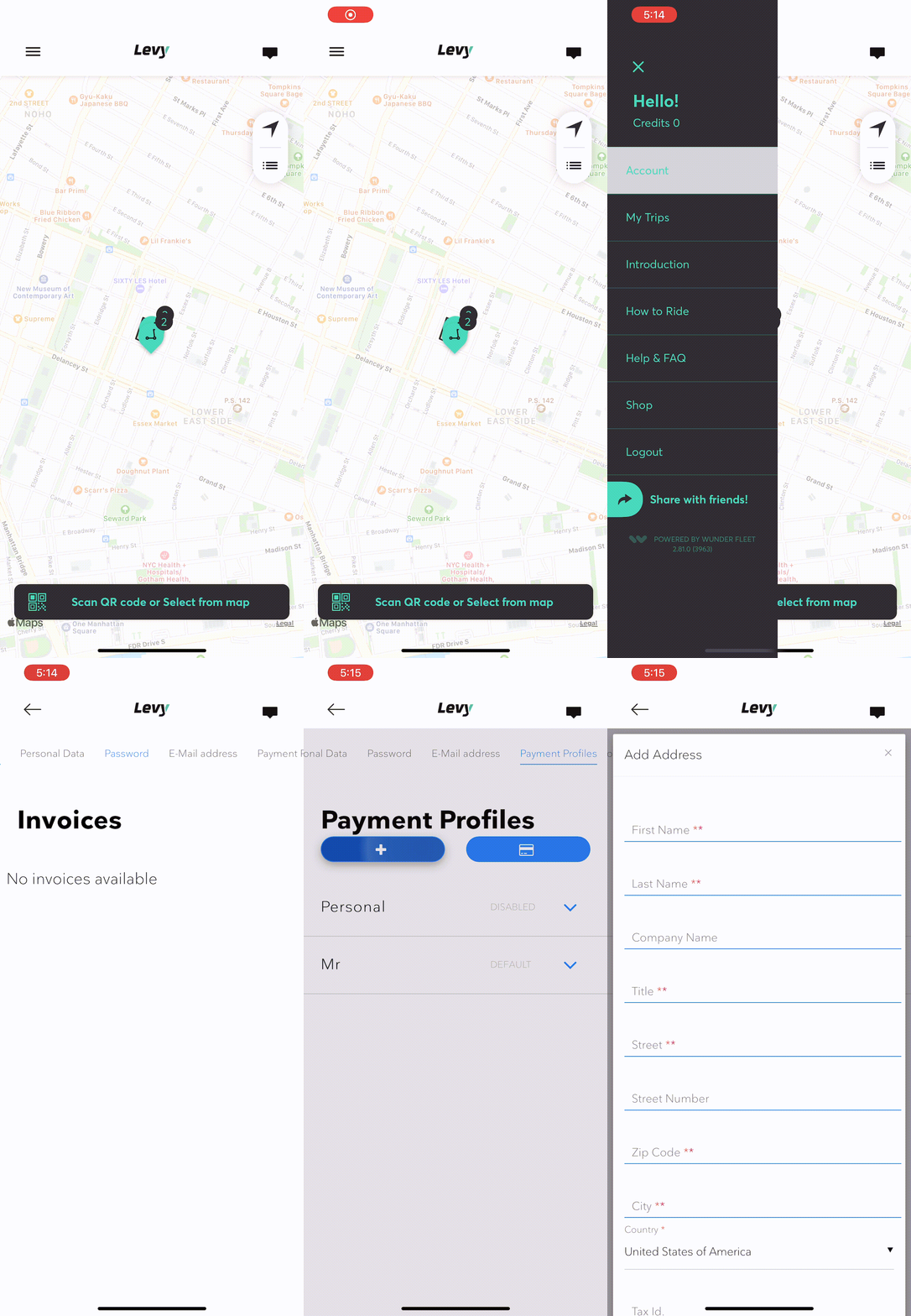
Changing the payment info in Levy's rental app is shown below:
Steps:
Open Menu bar
Open 'Account'
Scroll over and Select 'Payment Profiles'
Select the '+' button to add card
Was this article helpful?
Related Articles
Where do I return the scooter when I'm done?
Currently, you must return the scooter back to the original location where you rented from.
Monthly Subscription Agreement
Effective Date: October 1, 2024 Parties. This Monthly Subscription Lease Agreement (the “Agreement”) is between Levy Electric Inc.
The Cost of Importing Electric Scooters from the US to Canada
Tariff Classifications and Duty Rates Electric scooters fall under the Harmonized Tariff System (HTS) code 8711.60.0090.