








Setting Up New Scooters in Your Fleet
Hello. If this is your first time setting up scooters with Levy's Fleet - Welcome!
When new scooters are delivered they will need to be charged and connected to the fleet software in Wunder Fleet. Anytime a scooter in our Fleet is charged up from zero battery it will need to reconnect to the GPS when it turns on. This can take from 5-10 minutes. While the scooters are signaling to find GPS they will sound an alarm every few minutes until they have found a signal.
Matching Vehicle ID Numbers:
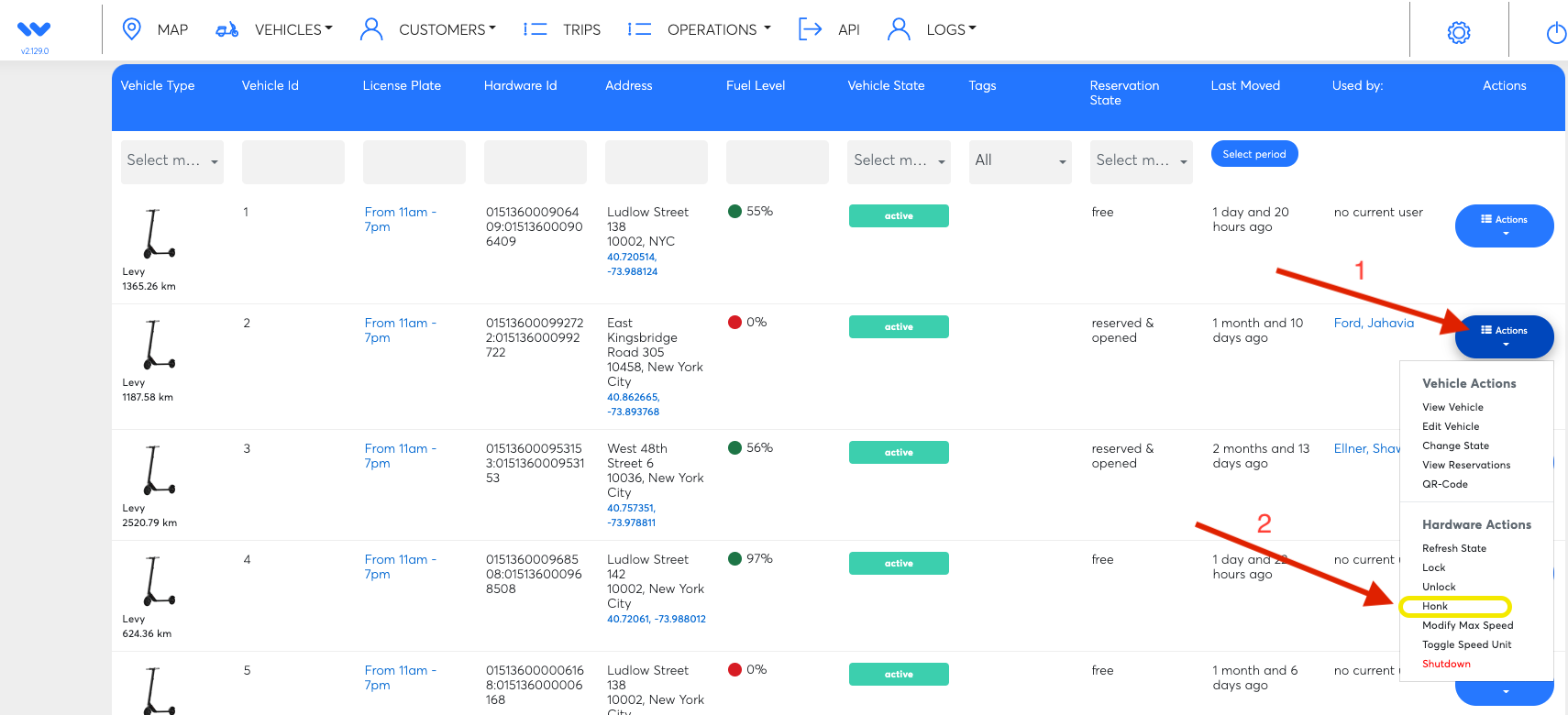
Green Vehicle ID stickers should have been provided for your scooters that will correspond with the numbers that are listed in Wunder Fleet. To match the sticker up with the correct scooter we recommend clicking on the blue 'Actions' tab all the way to the right of each vehicle listed in the 'Vehicles' View and then using the 'Honk' option to alert as to which scooter corresponds with the each vehicle in Wunder Fleet.
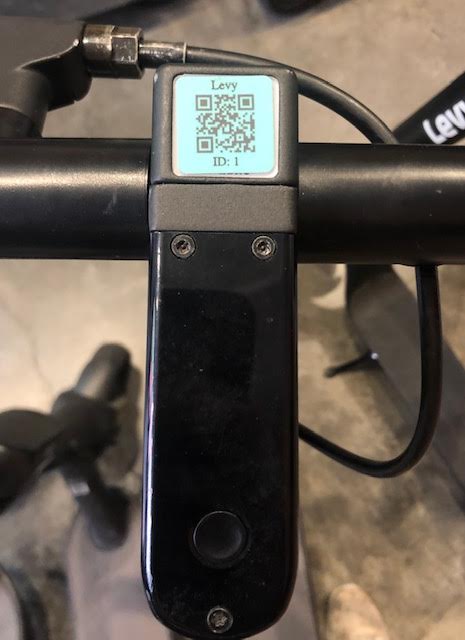
Stickers should be placed above the scooter's display right on top of the white QR code that comes with each scooter.
Activate Scooter:
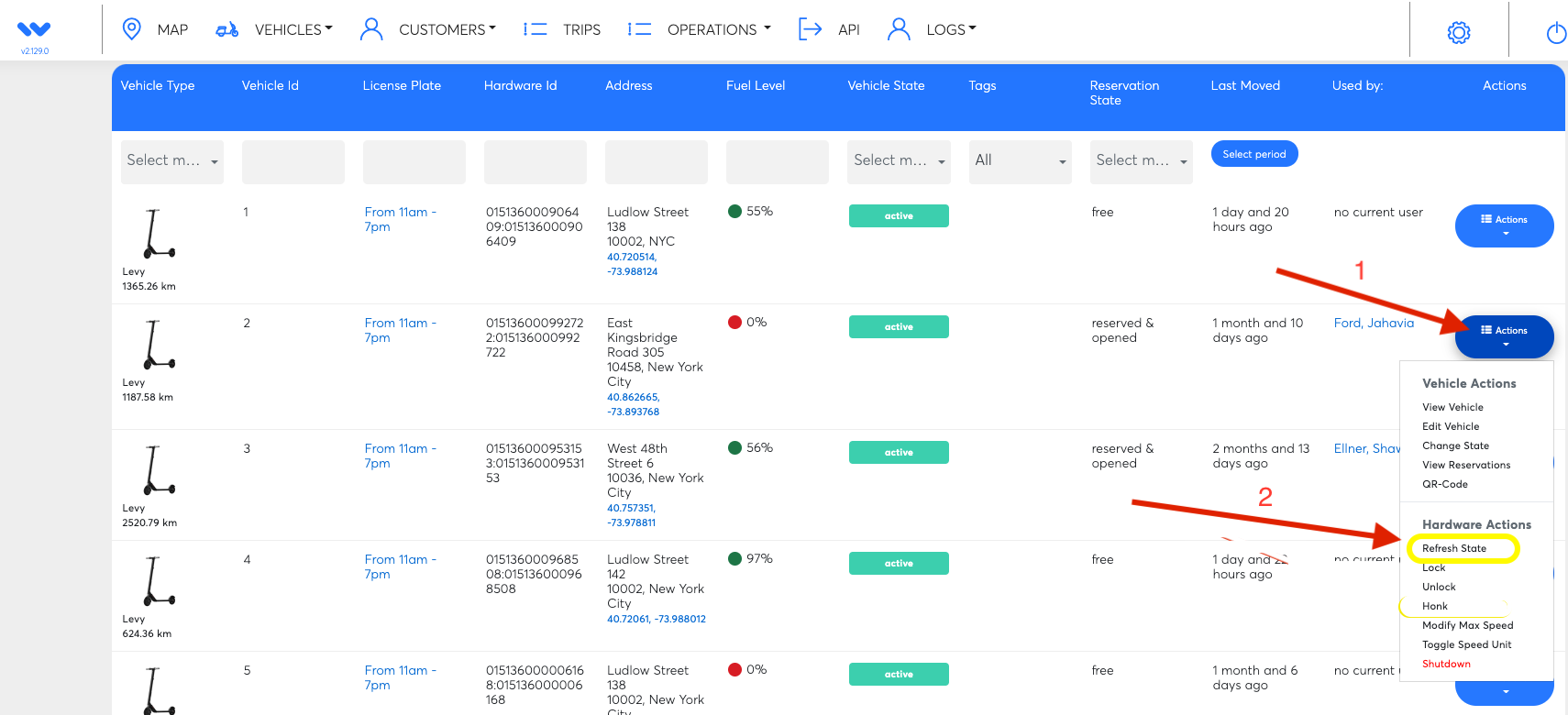
The last thing you will need to do is refresh the vehicle state. Do this by clicking on the blue 'Actions' tab all the way to the right of each vehicle listed in the 'Vehicles' View and then using the 'refresh State' option. This will officially activate your rental scooter .
Was this article helpful?
Related Articles
Levy Fleets: Countries and Currencies FAQ
Levy Fleets operates worldwide in local currencies. Canadian programs, including car sharing, can run entirely in CAD for platform invoices, resident payments and operator payouts.
Levy Fleets Tool Access and Vehicle Eligibility FAQ
ZK600_Android_Manage_Tool and Levy Operator device-tool service are for current Levy Fleets customers with vehicles already onboarded to our software. Confirm your fleet account before requesting login, credentials or configuration help.
How does your rental fleet program work?
Levy Fleets is primarily a software and services package that we offer to 3rd party operators looking to launch their own scooter or bike rental fleet.