








Segway Max 2.4 Fleet Scooter
The Segway Max Plus X scooter is designed for superior user experience, operational efficiency, and safety, featuring a multi-function dashboard, Gen-3 IoT, a high-capacity battery, and a 400W motor among others. It offers NFC, wireless charging, and a cellphone holder for user convenience, alongside a dual suspension system for comfortable rides on varied terrains. Operational efficiency is enhanced through component compatibility and a universal battery platform, while safety features include high-visibility indicators, large PU filled tires for stability, and a high waterproof rating for various components.
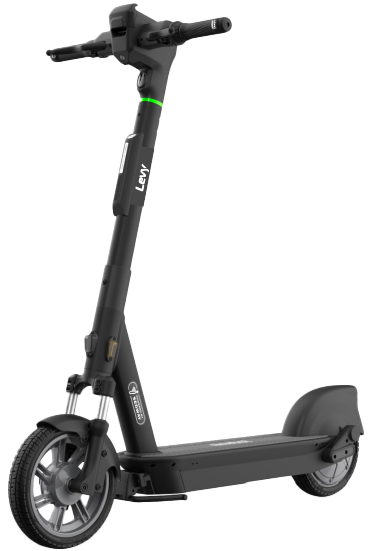
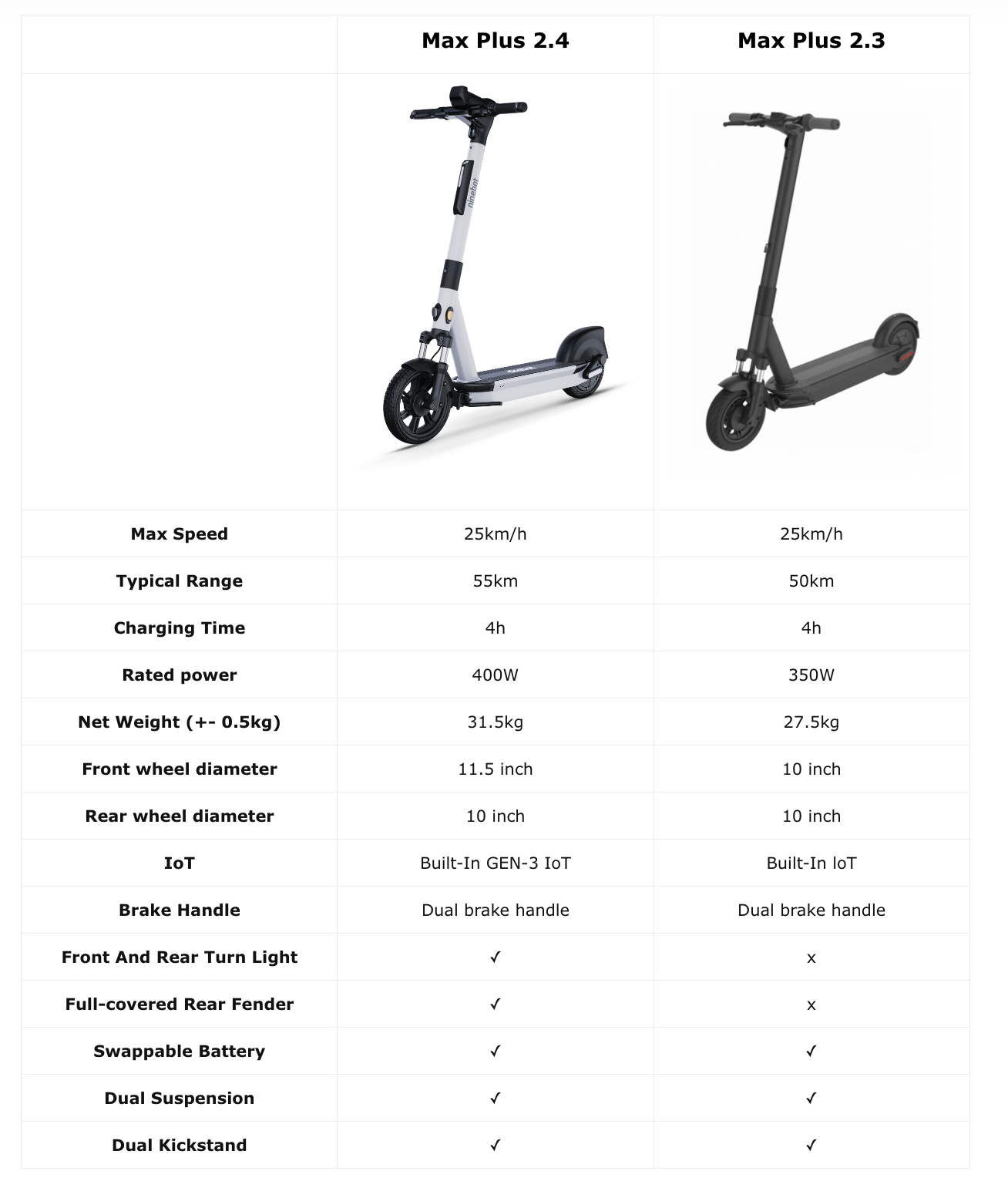
MAX PLUS 2.4 SPECS
A 400W motor, capable of tackling 14% slopes at 15 km/h with a 75 kg load.
Battery options: 551Wh or optional 1033Wh.
Dual suspension for smoother rides.
PU filled rubber tires, with 11.5-inch front and 10.5-inch rear tires, ensuring stable rides over various terrains.
High Precision Positioning through dual-band GNSS and multi-constellation technologies.
Advanced Gen-3 IoT technologies for smarter operations.
Waterproof ratings: Vehicle IPX5, Controller IPX7, Dashboard IPX7, Battery pack IPX7, Motor IPX6, Front light IPX7, and Rear light IPX71.
See attached PDF sheet for the full specs.
Was this article helpful?
Related Articles
Levy Fleets: Countries and Currencies FAQ
Levy Fleets operates worldwide in local currencies. Canadian programs, including car sharing, can run entirely in CAD for platform invoices, resident payments and operator payouts.
Levy Fleets Tool Access and Vehicle Eligibility FAQ
ZK600_Android_Manage_Tool and Levy Operator device-tool service are for current Levy Fleets customers with vehicles already onboarded to our software. Confirm your fleet account before requesting login, credentials or configuration help.
How does your rental fleet program work?
Levy Fleets is primarily a software and services package that we offer to 3rd party operators looking to launch their own scooter or bike rental fleet.