








Setting Up Subscriptions With Your Levy Fleets
In this article we will walk you through how to set up subscriptions on the Levy Fleet rental platform. Be sure that all of the information for the subscription is accurate. Note that once the subscription is made, existing and activated subscriptions cannot be edited anymore, so in case you wish to modify a subscription that's already online, you will have to deactivate it and create a new one.
To get started you will want to head over to subscriptions through the dashboard under More -> Subscriptions -> Manage Subscriptions:

Click "Add New Subscription" on the top right-hand side to proceed and fill in the subscription details:

Here you will put all the information about the subscription (i.e. Name, the number of days it is valid for, price, etc.)
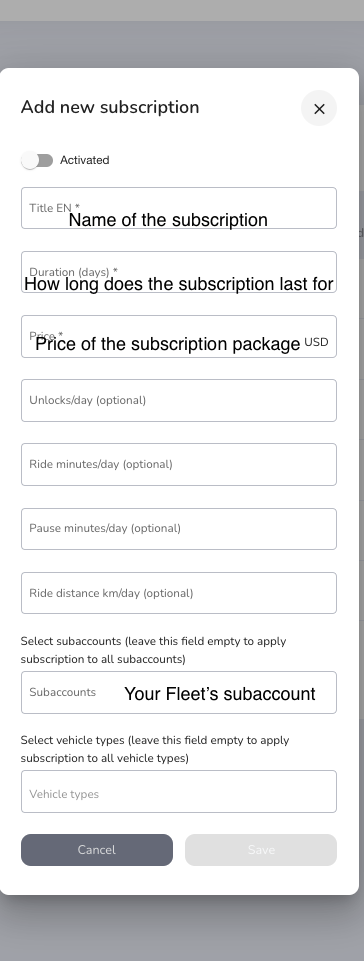
You can create different types of subscriptions (e.g. daily, weekly, monthly passes, etc.) and set limits for each type. The limits reset each day. If you wish to not give any included unlocks in a daily subscription, for example, leave this field empty. Your users will have to pay for unlocking a vehicle on top of what they have paid for the subscription.
You can also indicate the amount of unlocks that is included in their subscription. Same applies to the ride minutes, km, and pause minutes. For "unlimited" values in the subscriptions (e.g., unlimited unlocks per day) simply indicate a very large number that the users would not normally exceed during one day (as the limits are daily, as already mentioned).
Be sure to activate the subscriptions you create in order for your users to see them in the apps.
Once you make your subscription active it will show up under subscriptions tab in the Levy App.
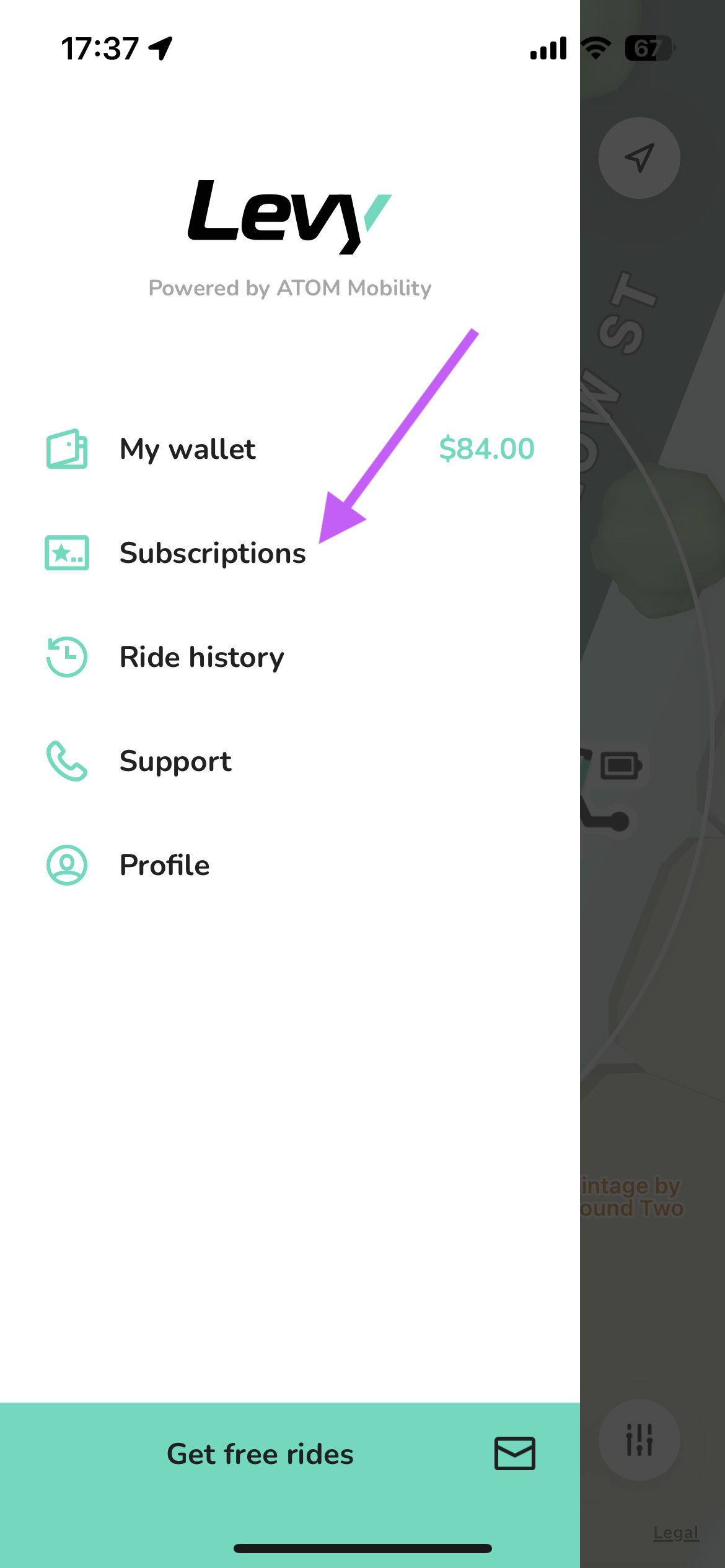
Be sure that your customer selects your location from the drop down menu. Subscriptions are mapped to each specific location. So if the customer buys a NYC package it will only apply to NYC scooters.
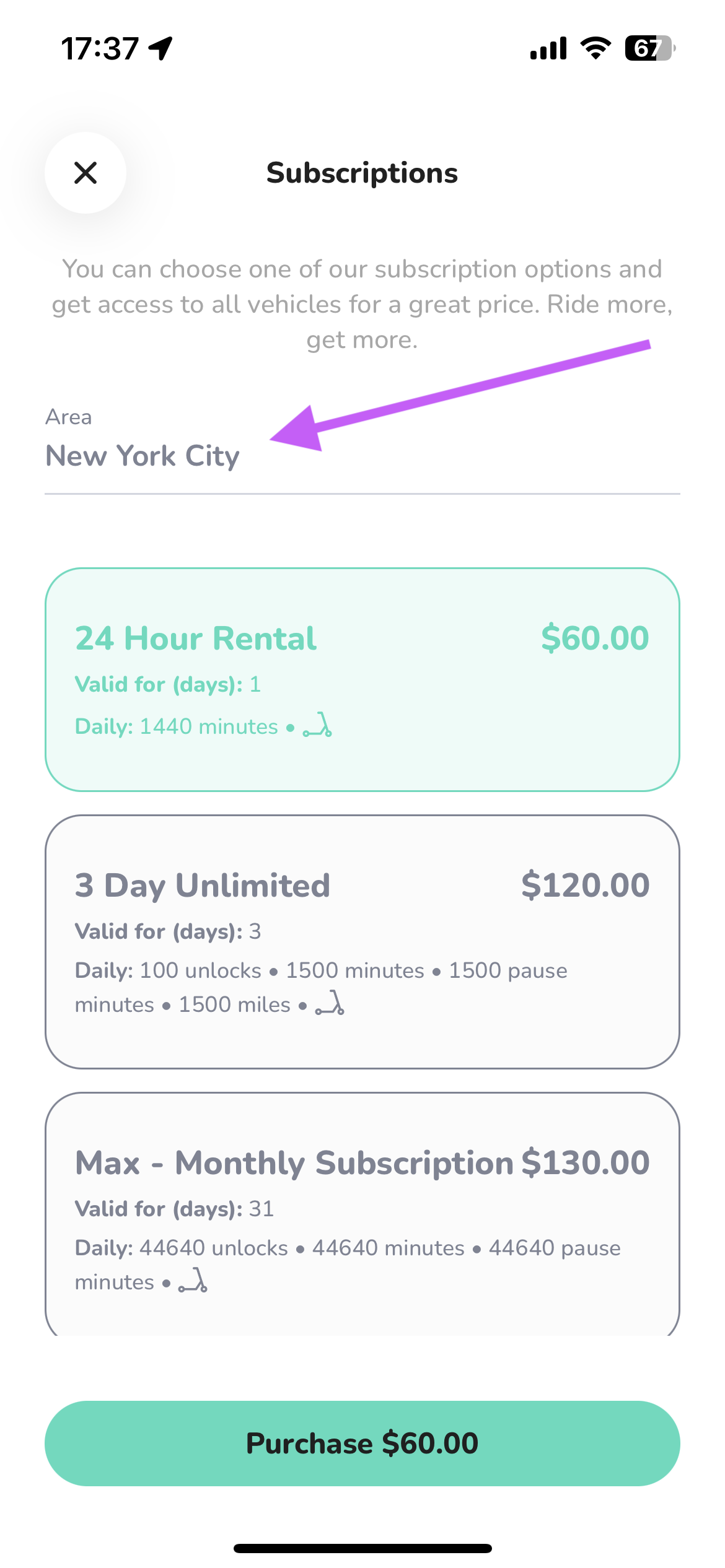
Also note that the subscriptions are not automatically renewable - meaning that your users buy a subscription and use it for the set amount of time until it expires, and then if they wish to, they can renew it by purchasing the subscription again.
One final note about subscriptions is that there can only be one subscription active on an account at one time. This means that a customer cannot have 2 subscriptions with different scooters on one account. When this happens, you will have to have the customer make an account for each subscription.
The video below walks through the steps of adding a new scooter and subscription to your subaccount.
Was this article helpful?
Related Articles
Levy Fleets: Countries and Currencies FAQ
Levy Fleets operates worldwide in local currencies. Canadian programs, including car sharing, can run entirely in CAD for platform invoices, resident payments and operator payouts.
Levy Fleets Tool Access and Vehicle Eligibility FAQ
ZK600_Android_Manage_Tool and Levy Operator device-tool service are for current Levy Fleets customers with vehicles already onboarded to our software. Confirm your fleet account before requesting login, credentials or configuration help.
How does your rental fleet program work?
Levy Fleets is primarily a software and services package that we offer to 3rd party operators looking to launch their own scooter or bike rental fleet.