





Ending a Trip in the Levy App
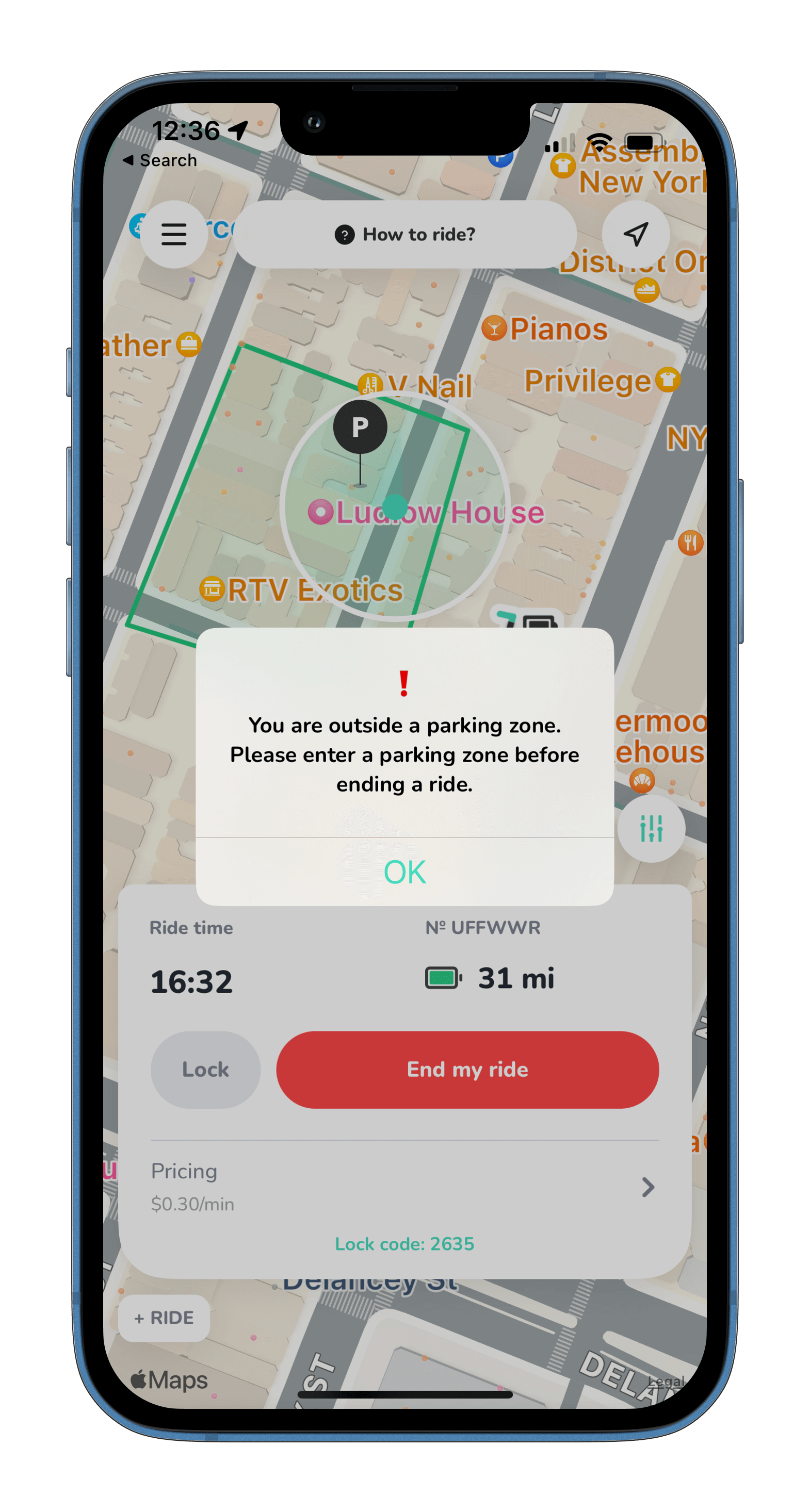
When a user is ending a trip, our system will first check to ensure the scooter's real time location is within a park zone. If it is not, the message will be displayed as below. The user will not be able to end their trip until returned to a proper zone and billing will continue until done.
Once the scooter is returned to a parking zone, which are viewable in-app on the map - they will be prompted with the following return instructions.
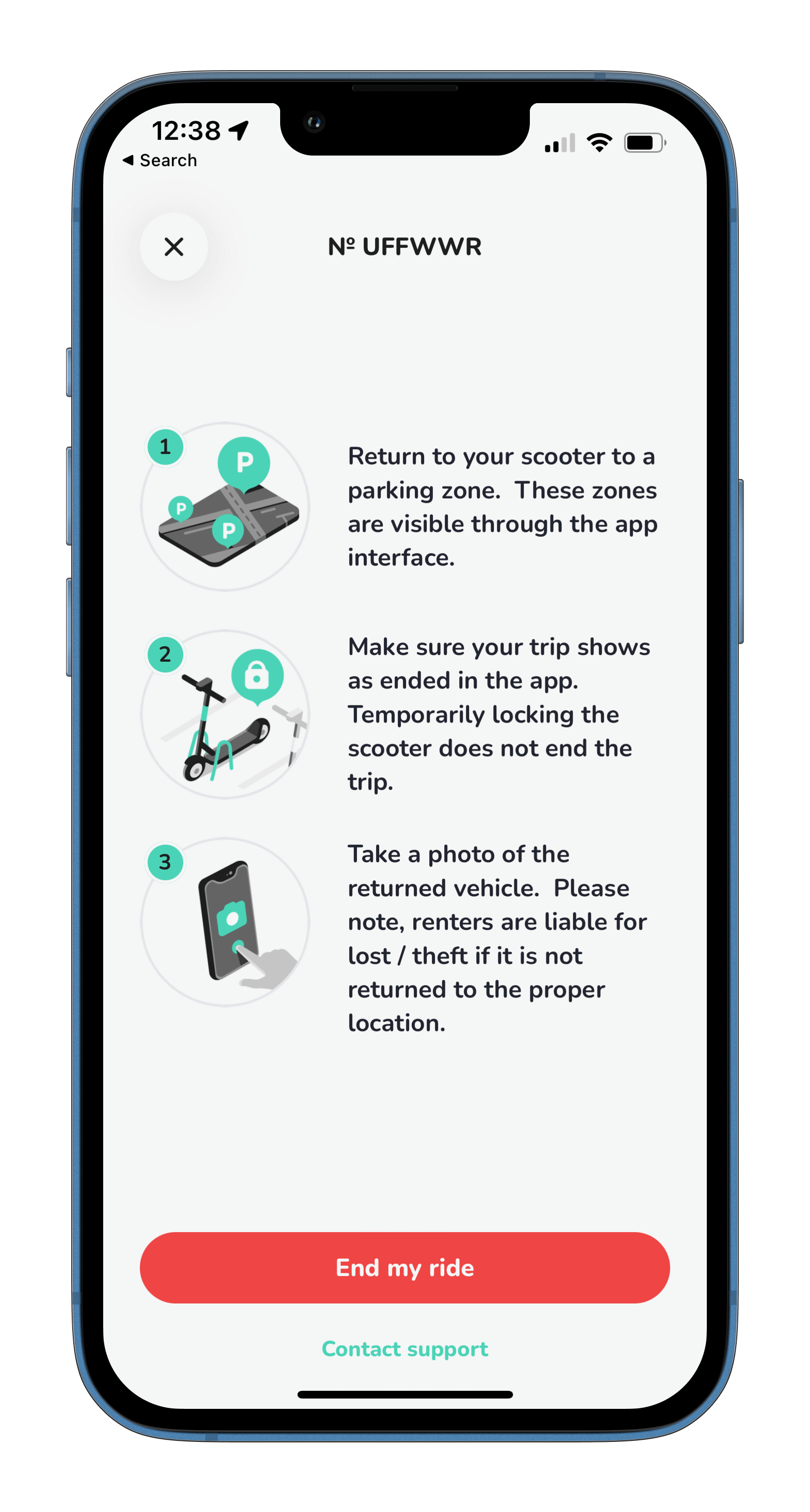
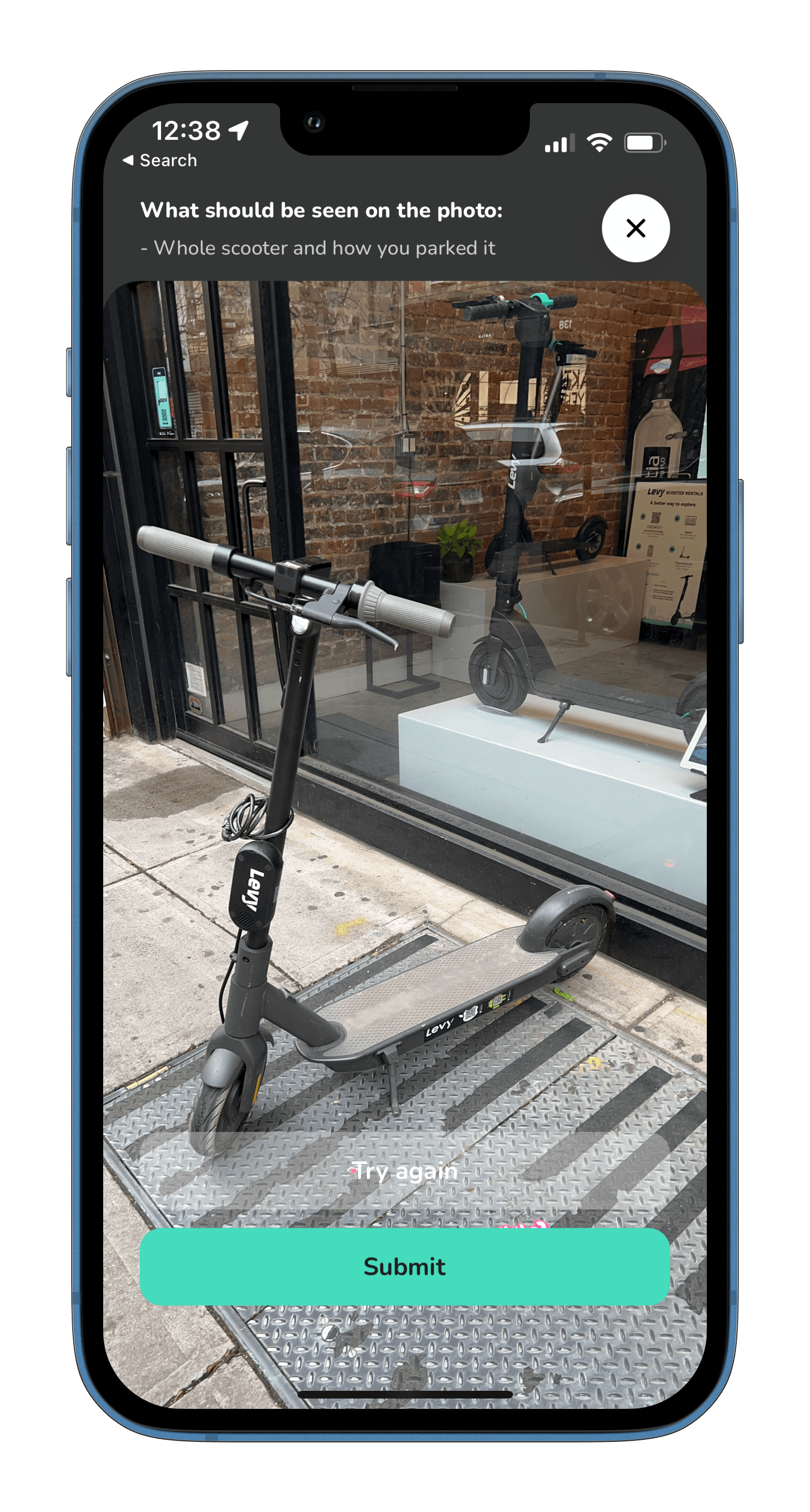
They will be required to take a photo of the scooter properly returned at the end of their trip. Levy's support team will verify all photos to ensure the scooter has no physical damage and has been returned to the right location.
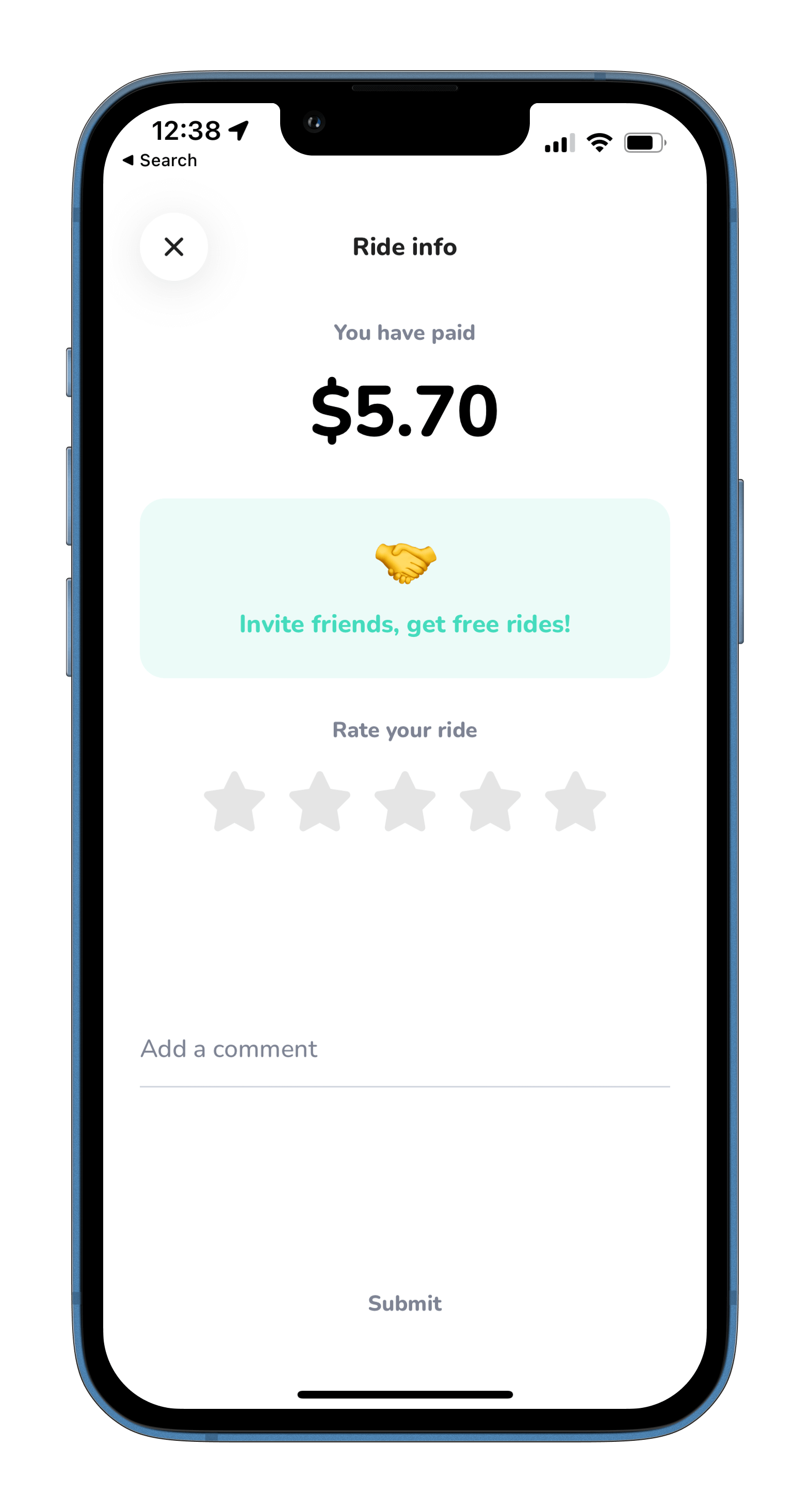
Users will then have the opportunity to rate the trip and also make any additional comments to be reviewed.
Was this article helpful?
Related Articles
Levy Fleets: Countries and Currencies FAQ
Levy Fleets operates worldwide in local currencies. Canadian programs, including car sharing, can run entirely in CAD for platform invoices, resident payments and operator payouts.
Levy Fleets Tool Access and Vehicle Eligibility FAQ
ZK600_Android_Manage_Tool and Levy Operator device-tool service are for current Levy Fleets customers with vehicles already onboarded to our software. Confirm your fleet account before requesting login, credentials or configuration help.
How does your rental fleet program work?
Levy Fleets is primarily a software and services package that we offer to 3rd party operators looking to launch their own scooter or bike rental fleet.